
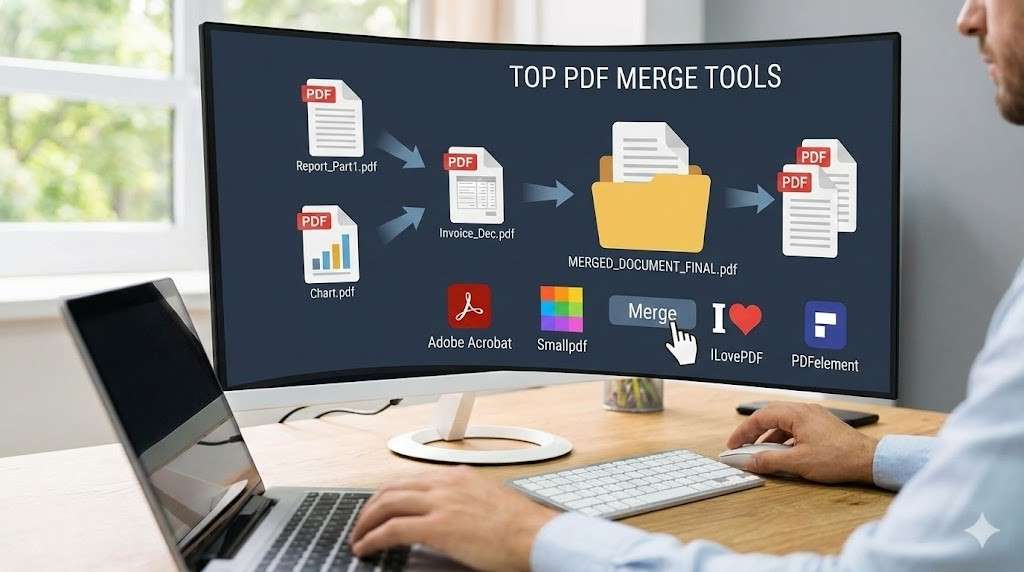
Top tools to merge PDFs into one document
Merging PDFs into a single document has become a routine task for many individuals and businesses. Whether you’re consolidating contracts, combining reports, or creating a unified presentation, merging PDFs is often necessary for organizing documents effectively. While you can perform this task manually, using a PDF merger tool can save you time, reduce errors, and ensure that your files are combined seamlessly.
Introduction to PDF Merging
Merging PDFs is useful when you need to combine multiple files into one cohesive document. Whether you’re creating an eBook from multiple chapters, merging invoices for one client, or consolidating a series of related reports, combining PDFs makes it easier to manage, share, and store your documents. By combining multiple PDFs, you not only simplify document storage but also improve the presentation and accessibility of your files.
Benefits of Using PDF Merging Tools
Using a PDF merging tool offers several advantages:
- Time-saving: Merge files in seconds, without the need to manually copy and paste content.
- Consistency: Ensure that formatting, text, and images remain intact when combining documents.
- Convenience: Most tools are user-friendly and don’t require advanced technical skills.
- Security: Trusted tools protect the privacy and confidentiality of your documents while merging them.
Criteria for Choosing the Best PDF Merging Tool
When selecting a PDF merging tool, there are several key criteria to consider:
User-Friendliness
A good PDF merger should be easy to use, with a straightforward interface that allows you to drag and drop files without confusion.
Compatibility and Accessibility
The tool should work seamlessly across devices, whether on a desktop, laptop, or mobile device. Accessibility is key to using it anywhere.
Security and Privacy
Merging PDFs often involves sensitive or confidential information, so it’s important that the tool offers security features like encryption, password protection, and compliance with privacy standards.
Top Tools to Merge PDFs
Here are the top tools available to merge PDFs into one document:
Tool 1: Lumin
Lumin is one of the best online PDF editors that not only allows you to merge PDFs but also provides a suite of other features, such as text editing, form filling, and annotation. Lumin’s user-friendly interface makes it easy to combine multiple PDFs with just a few clicks.
Features:
- Cloud-based platform for easy access
- Real-time collaboration
- Ability to edit and sign PDFs in addition to merging
- Integration with Google Drive and other cloud storage solutions
Pros:
- Simple, clean interface
- Allows for quick document merging and editing
- Secure encryption for document protection
Cons:
- Some advanced features require a paid plan
Tool 2: Smallpdf
Smallpdf is a widely recognized PDF tool that offers a quick and easy way to merge PDFs. Known for its efficiency and user-friendly design, Smallpdf is a solid option for anyone needing a fast and effective merging solution.
Features:
- Merge PDFs by simply dragging and dropping files
- Allows merging of files directly from cloud storage like Dropbox or Google Drive
- Supports compressing PDFs after merging
Pros:
- Fast and efficient tool
- Cloud integration for seamless workflow
Cons:
- Some features are locked behind the paid version
Tool 3: Adobe Acrobat DC
Adobe Acrobat DC is one of the most trusted names in PDF software. It offers a comprehensive set of tools for merging PDFs, along with additional capabilities like PDF creation, editing, and conversion.
Features:
- High-quality merging with professional-level precision
- PDF editing and form handling features
- Advanced security features for file protection
Pros:
- Trusted industry standard
- Comprehensive toolset for professional use
Cons:
- Expensive subscription plans
Tool 4: PDF Merge
PDF Merge is an online tool dedicated to merging PDFs. It’s simple, easy to use, and doesn’t require you to create an account to start merging your documents.
Features:
- Drag-and-drop interface
- Can merge up to 20 PDF files at once
- No sign-up required
Pros:
- Free to use with no sign-up required
- Fast and intuitive design
Cons:
- Lacks advanced editing features
- File size limitations for free use
Tool 5: iLovePDF
iLovePDF offers a variety of online PDF tools, and its merging feature is one of the simplest and most effective available. iLovePDF stands out for its straightforward interface and multiple output options.
Features:
- Merge PDFs with drag-and-drop functionality
- Split PDFs and convert them to other formats
- Integrates with Google Drive and Dropbox
Pros:
- Simple and quick to use
- Versatile PDF tools beyond just merging
Cons:
- The free plan has limited features
How to Merge PDFs Using Lumin
Lumin offers an intuitive and user-friendly platform for merging PDFs. Here’s how to merge your PDFs using Lumin’s online PDF editor:
Step-by-Step Guide
- Choose the Right Tool: First, go to Lumin’s PDF merger tool. You can access it directly from the website or via the Lumin app.
- Upload Your PDF Files: Upload the files you want to merge. You can select them from your local device or import them from your cloud storage.
- Arrange the Files: Once uploaded, you can easily rearrange the pages or documents into the correct order using a simple drag-and-drop interface.
- Merge and Download: After organizing your files, click the ‘Merge’ button. Lumin will combine them into one document. Once merged, you can download the final file to your device or save it to the cloud.
Tips for Efficient Merging
- Organize files properly: Before merging, review your PDFs to ensure they’re in the correct order and free from errors.
- Check document quality: After merging, review the document to ensure the formatting, images, and text appear as intended.
Final Thoughts
Merging PDFs is an essential task for anyone who works with documents regularly. By choosing the right tool, like Lumin, you can ensure a smooth, efficient, and high-quality merging experience. Whether you’re consolidating invoices, contracts, or reports, Lumin’s PDF merger tool provides all the features you need to get the job done quickly and securely.